apk4com Live Casino Slots
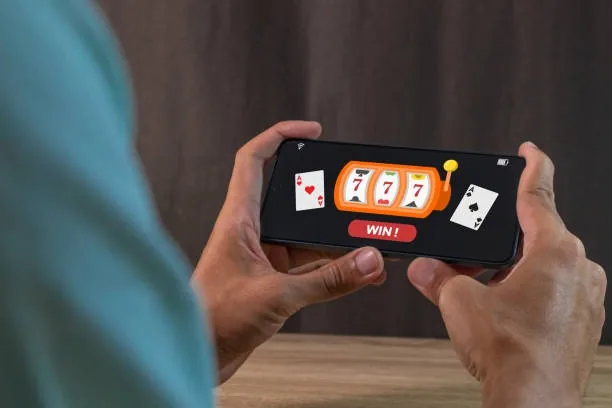
apk4com puts slots, live casino tables and cricket sportsbook markets in one lobby — fund your account with JazzCash, Easypaisa or Raast and you can be inside in seconds. Access depends on local law and is available where local law permits.
Access may be available only where local law permits.
apk4com · Pakistan
Service availability depends on eligible regions and local law. Users should check local rules before opening an account.

Everything apk4com has in one place
From high-cap slot rooms and live dealer tables to sportsbook markets, the full lobby is a single tap away on any device.
How we keep your account secure
Security on apk4com is layered so that a single compromised step does not expose your account or funds. Every connection between your device and our platform runs over SSL encryption, which means data in transit is scrambled and unreadable to anyone intercepting the line. Account access is protected by OTP verification — each login or sensitive action sends a one-time code to your registered mobile number, and the action only proceeds once you enter it. Your transaction history is recorded with reference numbers you can review at any time in the account dashboard, giving you a clear trail of every deposit and withdrawal.
Explore slots, live tables and more
The apk4com lobby carries slots from Pragmatic Play and PG Soft alongside live casino tables streamed by Evolution — think Live Baccarat, Dragon Tiger and Blackjack Club dealt in real time. Crash games including Aviator and Crash Skyrise sit in their own section. RTP figures are shown where the game provider makes them available; we do not publish estimates. Switch between categories without leaving the page — the navigation bar keeps everything one tap away.
Payment methods we support
JazzCash, Easypaisa and Raast are the primary deposit routes on apk4com because they are the wallets Pakistani players already use every day. Open your JazzCash or Easypaisa app, send to the account reference shown on the deposit screen, and confirm with your PIN — the amount posts to your lobby balance quickly once the wallet confirms the transfer. Raast works the same way through your bank's app. Bank Transfer and Debit Card are also accepted for those who prefer them. Withdrawal requests go through the same verified channel you deposited from, and each transaction generates a reference you can check in your account history.
JazzCash
Easypaisa
Raast
Bank Transfer
Debit Card
What's running this week



Getting started on apk4com
Enter your mobile number and details on the sign-up screen, then confirm with the OTP sent to your phone.
Open the Cashier, choose JazzCash, Easypaisa or Raast, send the amount from your wallet app and your balance updates.
Browse Slots, Live Casino or Sportsbook from the top navigation and tap any title to open it.
Your account balance is visible at the top of every game screen — play at the stake level that suits you.
Play on any device, any time
The apk4com lobby is built for mobile first. Whether you are on an Android handset, an iPhone or a tablet, the interface scales to your screen without losing any functionality — slots, live tables, sportsbook and the cashier are all accessible in the browser without an additional download. Deposit via JazzCash or Easypaisa from the same device you play on, and the whole journey from wallet to game takes under a minute. For longer sessions, the desktop layout gives you a wider view of the live casino floor and lets you watch multiple tables at once.

Member offers at apk4com

A welcome offer for the casino lobby is available to eligible new accounts — open your account and check the promotions section to see what is active for you. Terms apply.
Open Your Account
Eligible new accounts may find a sportsbook welcome offer waiting in the promotions section after registration — availability depends on your account region. Terms apply.
Open Your AccountPlatform at a glance
- Game providers
- Pragmatic Play, Evolution, Spribe, Play'n GO
- Game categories
- Live Casino, Slots, Sportsbook
- Accepted currency
- PKR
- Payment methods
- JazzCash, Easypaisa, Raast, Bank Transfer, Debit Card
- Mobile access
- Phone, tablet and desktop browser
- Customer support
- Live chat and email
Open your account in four steps
Getting into the apk4com lobby is straightforward. Create your account, verify your mobile number with the OTP sent to your phone, pick your deposit method from JazzCash, Easypaisa or Raast, and head straight to the game section that interests you. If anything stalls, our support team is reachable through live chat. Players in Karachi and Lahore reach the lobby in seconds once the account is active.
Phone, tablet or desktop — your call
The apk4com lobby adjusts to your screen automatically, so whether you are on an Android phone, an iPhone or a laptop, the full game catalogue and cashier are always within reach.


Reach our support team directly
Support at apk4com is available through live chat, email and mobile-optimised help pages. If a deposit is not reflecting, a game is not loading or you need account assistance, the fastest path is live chat — start it from the lobby menu and you will be connected to an agent. For non-urgent queries, email works well and gives you a written record of the conversation. The help section in your account covers common deposit and withdrawal questions with step-by-step answers.
Live Chat
Open a chat from the lobby menu at any time. Agents handle deposit queries, account access issues and general questions. It is the fastest way to get a specific answer for your account.
Email Support
Send your question to our support address for a written response. Useful for account documentation requests, dispute records or anything you want tracked by email thread.
Mobile Help Centre
The in-app help section covers the most common questions around JazzCash, Easypaisa and Raast deposits, withdrawal steps and account verification — formatted for mobile reading.
Frequently asked questions about apk4com
Answers to the questions we hear most from Pakistan players about account setup, deposits and the lobby.
Switch between casino, slots and sportsbook
The apk4com lobby is laid out so you can move between sections without losing your place. The top navigation bar holds four main areas: Slots, Live Casino, Sportsbook and your Account. Tap Slots to browse categories — classic reels, high-cap titles like Gates of Olympus, and crash rooms like Crash Skyrise and Crash Countdown are grouped separately so you can find what you want without scrolling through everything. Live Casino takes you straight to Evolution-powered tables: Live Baccarat, Dragon Tiger and Blackjack Club are usually visible above the fold. The Sportsbook section covers cricket markets prominently, including PSL and international fixtures, alongside football.
Finding a Specific Game
Use the search bar at the top of the Slots or Live Casino section. Type the game name — Aviator, Mahjong Ways, Blackjack Club — and it surfaces immediately without browsing through categories.
Switching to Sportsbook
Tap Sportsbook in the navigation bar from anywhere in the lobby. Cricket markets load first by default; football and other categories are listed below. You can place a bet and return to casino without logging out.
Accessing Your Account
The Account icon opens a drawer with your balance, deposit and withdrawal shortcuts, transaction history and verification status. OTP-protected — each sensitive action requires the code sent to your phone.
Getting Back to the Home Screen
Tapping the apk4com logo from any page returns you to the lobby home. From there the full game grid, payment shortcuts and support link are visible without any additional navigation steps.